
Hello JX-3People.
I’ve owned the JX-3P since it was released. I bought it at Down Home Guitar in Anchorage, Alaska, as a freshman in high school. I own many synths, but have kept and played the JX-3P since that time.
I’ve always wanted a way to easily save patches to my computer. But the JX relies on outdated tape dump technology — think, the hiss, chirp and screech of an ‘80s dial-up modem + audio cassette tape as memory! I couldn’t find a program so I decided to build my own. This was also an excuse to figure out how to “vibe code” — something I knew nothing about until I began in May of 2026.
JP Patches for Mac JP Patches for PC
Free, but donations help cover code signing and hosting fees. Synth-cerely, Daniel!
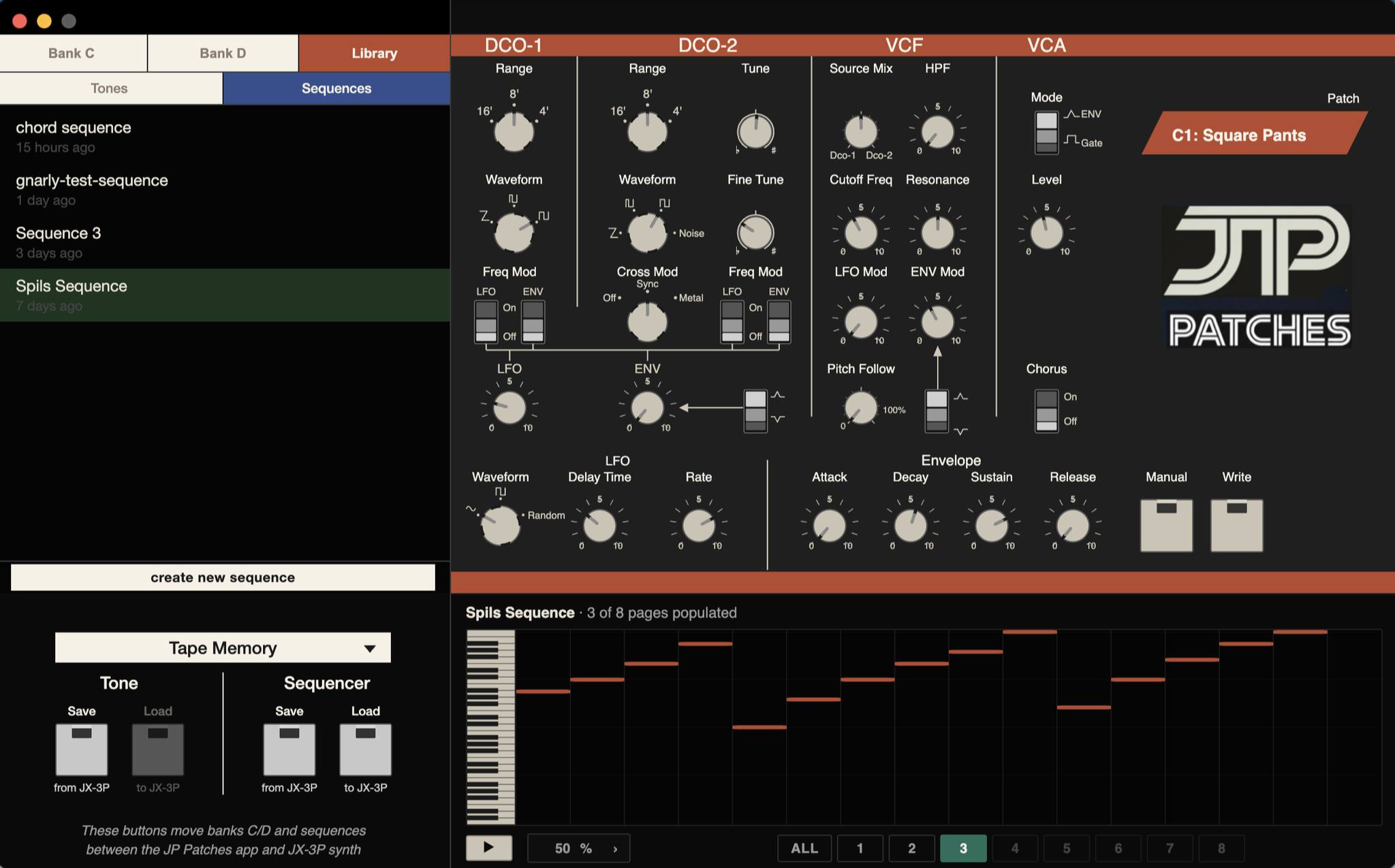
Fast forward a month and I have JP Patches, my JX-3P companion app. It works on macOS 12+ (w/ an Apple Silicon chip) and Windows 10 and above. It doesn’t yet support MIDI — the stock JX-3P MIDI does not support SysEx. I’ll wire up support for the Series Circuits MIDI Upgrade Kit in a future release. JP Patches operates through tape dumps using a single cord.
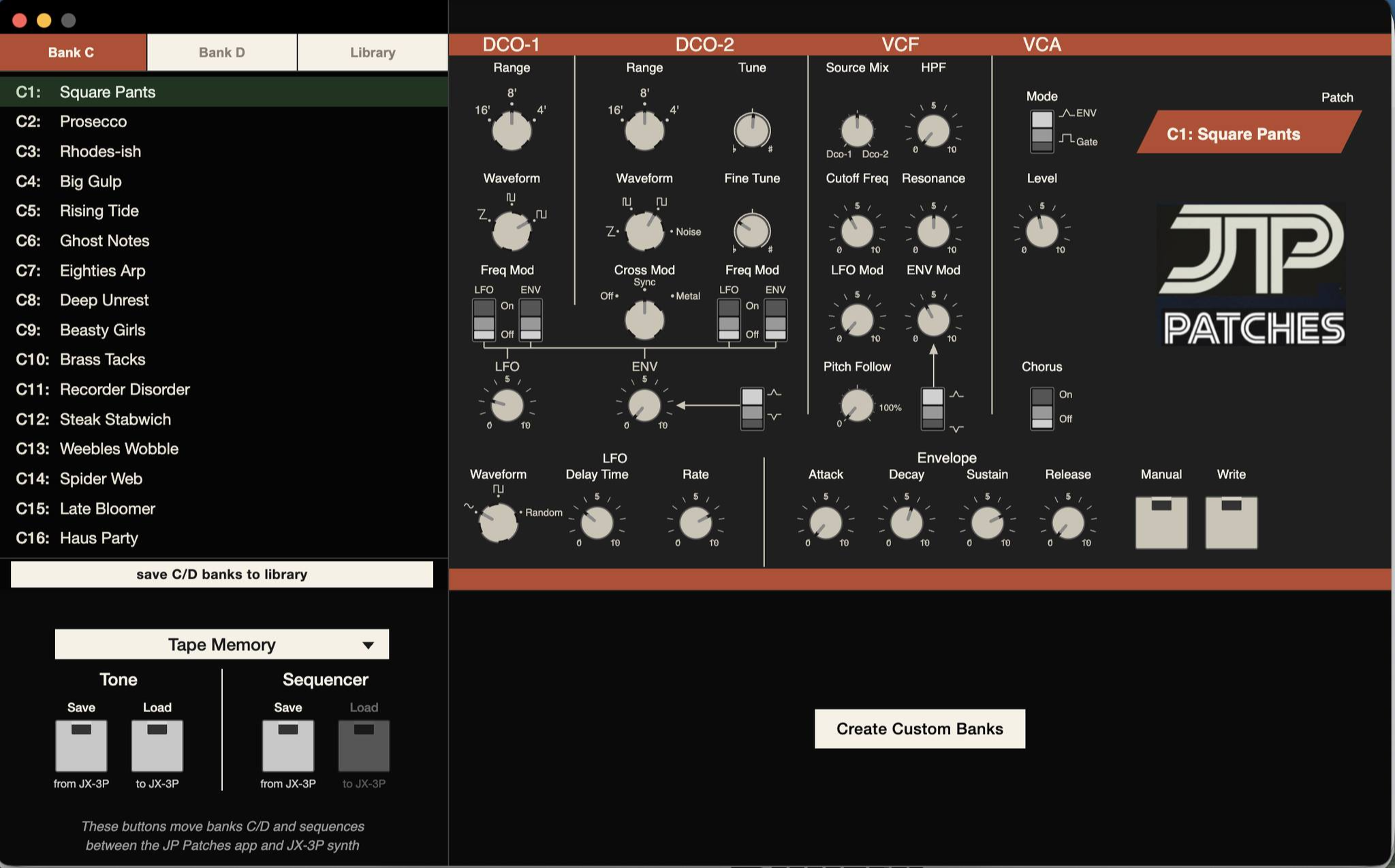
WHAT CAN JP PATCHES DO?
- transfer patches between JX ⇄ JP
- transfer sequences between JX ⇄ JP
- store and name C/D patch banks in the library
- store and name sequences in the library
- create custom patch names (e.g. rename C1 as “Warm Pad”)
- build custom patch banks w/ drag & drop reorder
- create, edit, and play sequences
- edit patches with a fully functional onscreen PG-200
- trade patches & sequences with other users
- other features I’m forgetting …
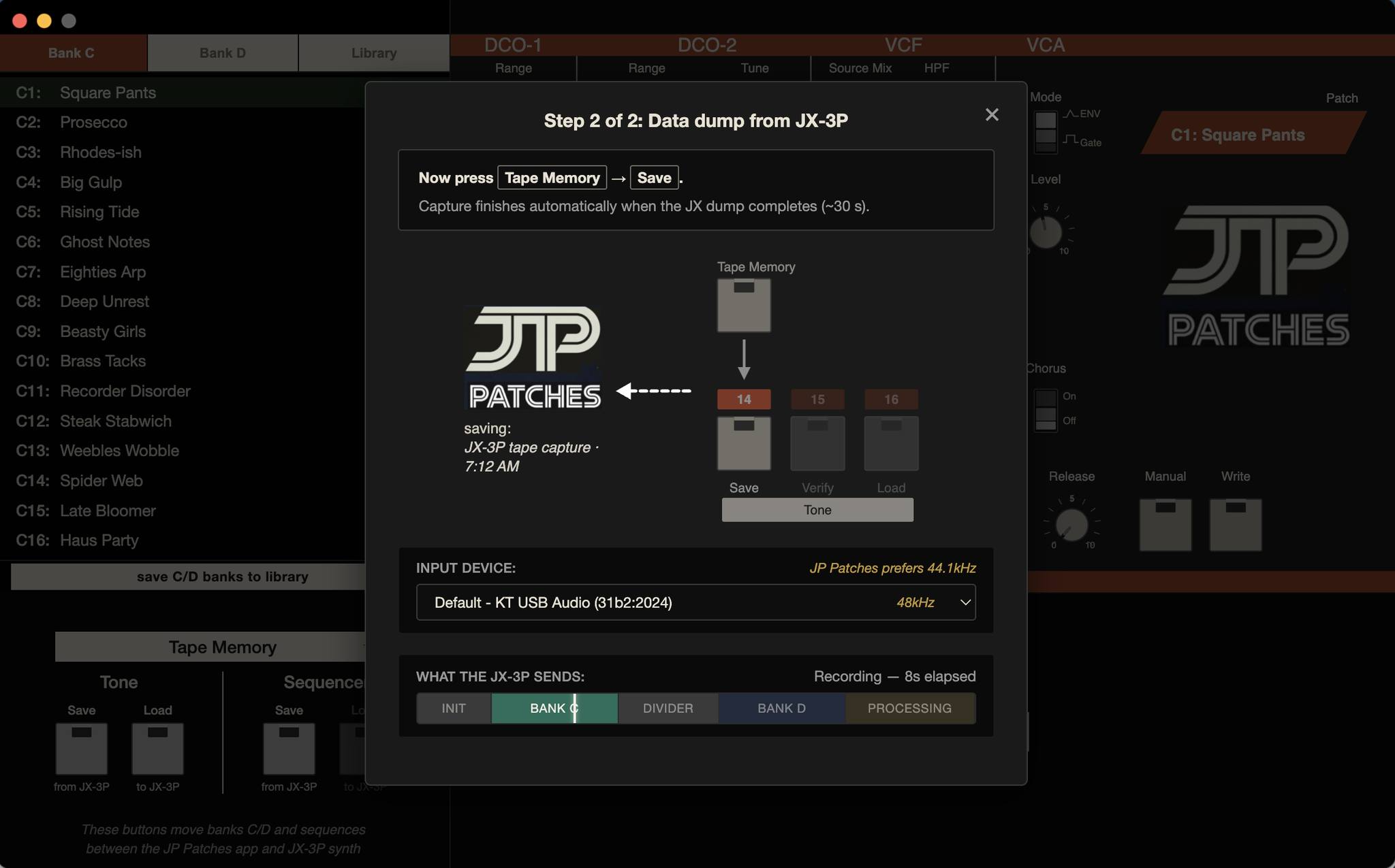
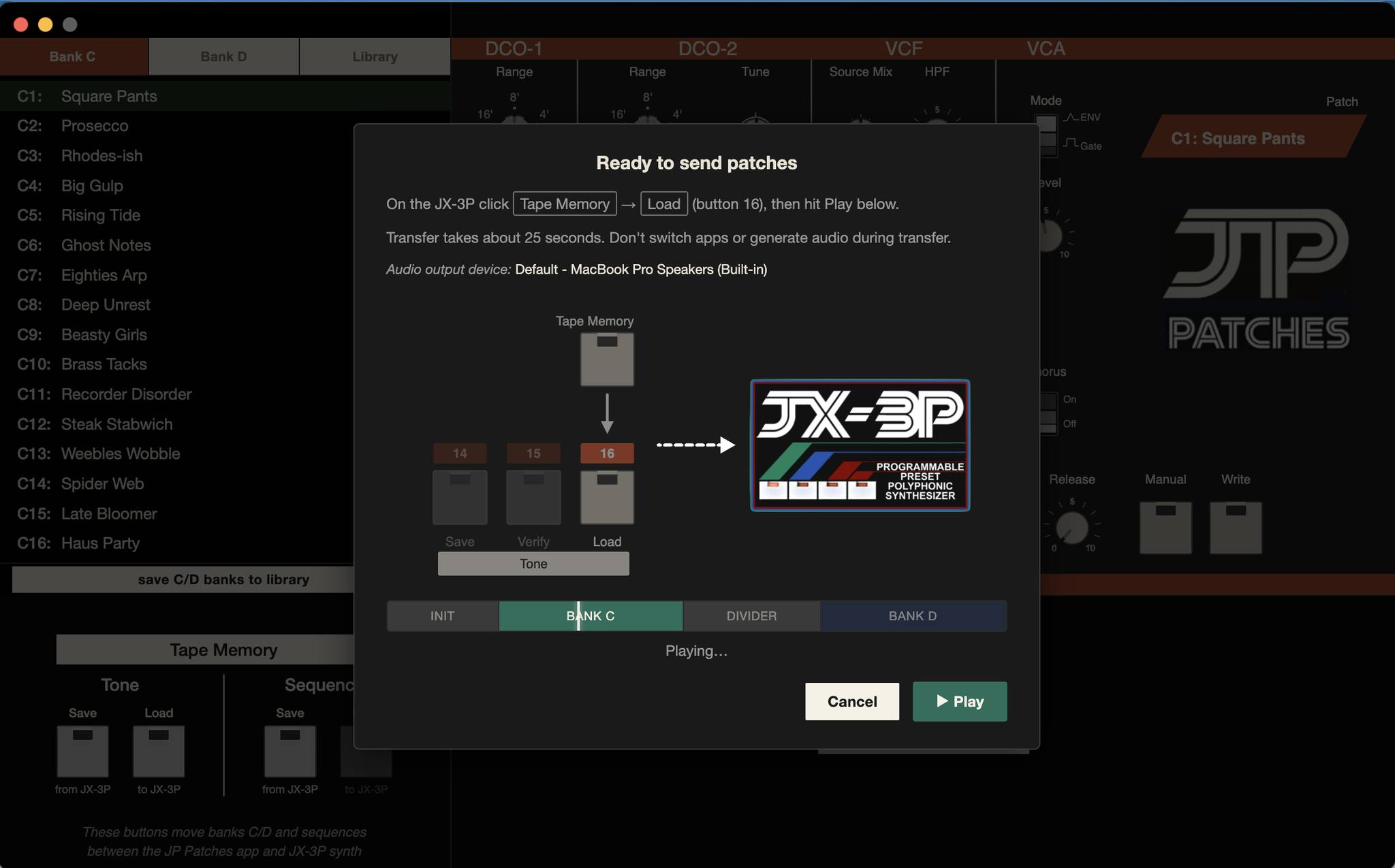
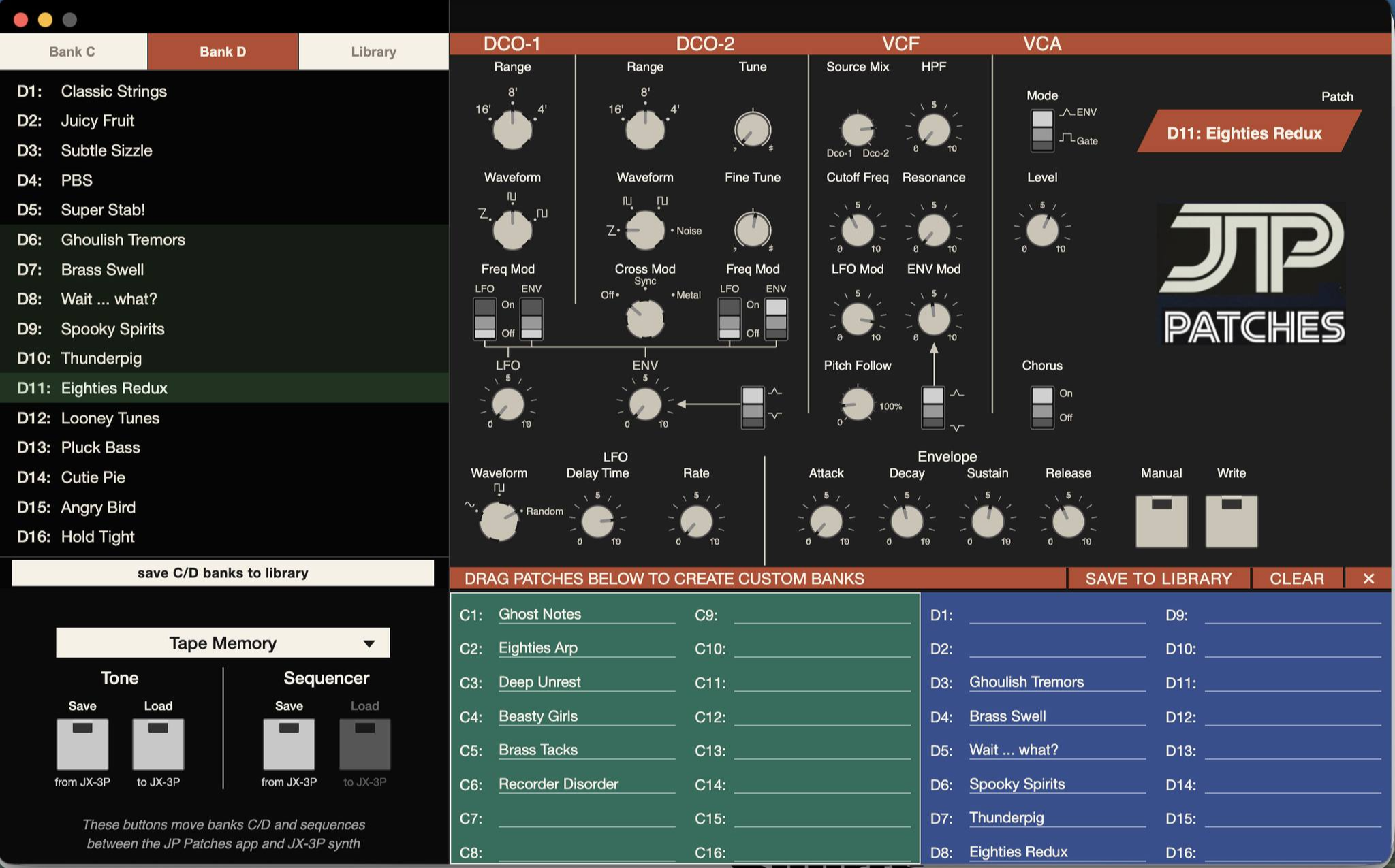
HOW DOES IT WORK?
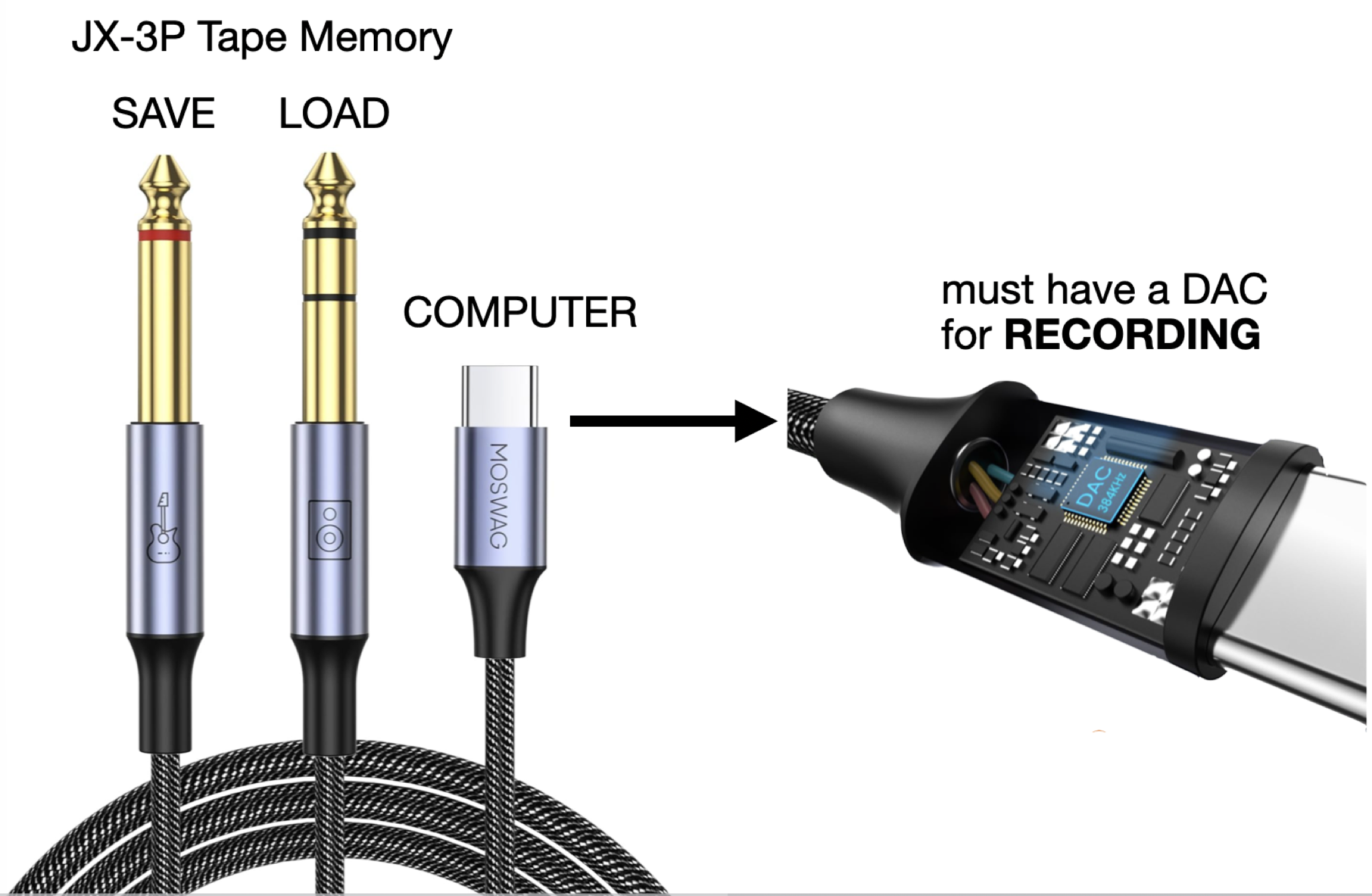
- use this USB-to-1/4-splitter cable
(or your audio interface) - plug the TS end into Tape Memory/Save
- plug the TRS end into Tape Memory/Load
- plug the USB-C end into your computer
- alternatively, you can upload WAV files
JP Patches for Mac JP Patches for PC
Free, but donations help cover code signing and hosting fees. Synth-cerely, Daniel!
FISHING FOR FEEDBACK
Friends have successfully loaded JP Patches, but none are synth people so they just say, “looks cool dude — congrats!” If you are a JX-3P enthusiast, I’d invite your feedback.
Having trouble getting a capture to decode? Start with the troubleshooting guide.
I’ve been using JP Patches for the past few weeks. It works fantastic—but it’s just me using it. I send C/D banks back-and-forth between my computer and JX. I send sequences. I edit sequences within the app, save ‘em, and send back to my JX. I create custom names for my personal JX C/D banks. I turn knobs on the PG-200 onscreen because it’s fun (it’ll be more fun when MIDI is working). I went ahead and seeded JP Patches with my personal patches and a sequence I wrote so a new user of the software will see something upon initial download. In the future I envision JX users easily trading patch banks, sequences, and enjoying the JX-3P with the modern conveniences of software.
You’re either a JX-3P owner or terribly bored if you’ve read this far. I’ve never written software, let alone software for a 1983 relic that has somehow held my attention all these years. If it’s not obvious at this point, this is personal passion project (3P!). — Daniel Spils